


Lumina AI
3.977.00 Reviews
App Specs
- Version
- 1.1.8
- Updated On
- License
- Free
- Downloads
- 50,000+
- Developer
- GP TECNOLOGIA DIGITAL
- Categories
- Entertainment
- Platform
- Android
Screenshots


 Analysis by AppCompare
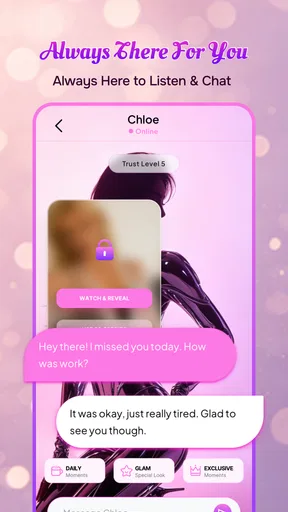
I approached Lumina AI as an entertainment app rather than a replacement for a search engine, messaging service, or professional adviser. Its central idea is simple: you open a conversation with an AI companion and use it for company, casual chat, creative prompts, or a little mental distraction. That makes the quality of the interaction more important than a long feature list. In my experience, the app is most interesting when I treat it like an easy conversation starter, not like a tool that should always deliver a perfect answer.
The app is developed by GP TECNOLOGIA DIGITAL and is available free of charge, although optional in-app purchases range from $2.99 to $89.99 per item. It sits in the entertainment category, carries a Mature 17+ rating, and has reached over 50 thousand installs. Those details give a useful picture of its intended audience: this is aimed at adults who want an AI chat experience, not at children looking for a simple educational chatbot.
How Lumina AI feels in everyday use
The first thing I noticed is that the appeal depends heavily on how you frame a conversation. A vague message such as “talk to me” can produce a less satisfying exchange than a clear request with a little context. Asking for a short evening conversation, a playful debate, a story idea, or help sorting through a decision gives the companion something concrete to work with. That is a small but important practical lesson: the quality of the reply often starts with the quality of the opening prompt.
For a quick break, the app can be more convenient than opening a social network. I can imagine using it while waiting for an appointment, winding down after work, or looking for a low-pressure way to explore an idea. Unlike a conventional entertainment app built around videos or games, it asks me to participate. The experience changes according to what I type, which gives it more personal flexibility but also means it can feel flat if I expect the app to entertain me without any direction.
The current version is 1.1.7, and the app supports devices running Android 8.0 or later. On compatible hardware, the basic expectation is a fairly direct chat experience rather than a graphically demanding one. There is no reason to approach it like a high-end game that needs a powerful processor or a large amount of storage for visual assets. The more relevant performance question is how smoothly a conversation opens, sends, and continues when the service is busy or the phone is under pressure from other apps.
What affects the sense of speed
AI conversation speed is not controlled only by the phone. A modern device may open the interface quickly, yet the reply can still take time because the request has to be processed remotely. That distinction matters when judging Lumina AI. A pause before an answer does not automatically mean the app is poorly optimized, while a responsive screen does not guarantee an instant conversation. I would judge it in two parts: how quickly the app reacts to my taps and how consistently it returns a useful response.
For short prompts, the experience should feel naturally suited to casual use. Longer requests, multi-step roleplay, or conversations that require the app to keep track of several details are more demanding from a practical point of view. Even when the interface remains usable, a delayed or less focused reply can make the exchange feel slower than it really is. I found that keeping requests focused helps preserve momentum and makes the companion feel more responsive.
Worth Reading Before You Choose

EA SPORTS FC Mobile 26 Is a Bigger Football Game, but It Takes Time

Flipboard Shows What News Apps Must Do Beyond the Feed

Switching to Android Auto Means Rethinking Your Driving Routine

Google Calendar Makes a Crowded Week Easier to Manage

Ludo King Makes the Most of the Minutes Between Plans

Baby Panda World Brings Quick Play to Modern Phones, but Its Game Library Feels Busy
A helpful habit is to separate a complicated thought into stages. Instead of asking for a complete plan, a detailed explanation, and a creative rewrite in one message, I would first ask for the main idea, then refine it. This is not just a writing trick. It reduces the chance of receiving a long answer that misses the part I actually care about. It also makes it easier to notice when the conversation has drifted and start again without losing much time.
Heavy-use moments and conversation fatigue
The app’s most demanding moments are likely to come from sustained conversations rather than from opening a single chat. A long session can involve repeated prompts, revisions, emotional topics, and requests that depend on earlier context. That is where I would pay attention to whether replies stay relevant, whether the conversation becomes repetitive, and whether the phone remains comfortable to use over time.
One trade-off with an AI companion is that more conversation is not always better conversation. If I keep asking for variations of the same answer, the exchange can become predictable. I get better results by changing the task: ask for an opposing viewpoint, request a shorter version, turn an idea into a dialogue, or ask the app to identify the weakest assumption. These uses make the session feel more active than simply asking the companion to continue talking.
There is also a practical limit to using any conversational AI for emotionally serious matters. A friendly tone can make a response feel personal, but it does not turn the app into a therapist, doctor, lawyer, or trusted friend with real-world responsibility. I would use it to organize thoughts or rehearse how I might explain a concern, then take important decisions to an appropriate human source. The Mature 17+ rating is a useful reminder that this is not an app I would casually hand to a young child.
For creative work, I found the strongest workflow is to use the companion as a drafting partner rather than a final authority. It can help me generate directions for a story, invent conversation starters, reshape a paragraph, or challenge an idea. I would still edit the result carefully. AI-generated wording can sound polished while remaining vague, and an entertaining answer is not necessarily an accurate one.
Reliability, recovery, and keeping control of a chat
Reliability here means more than avoiding crashes. I also want the app to preserve the thread of a conversation, respond sensibly after an unclear prompt, and let me recover when an exchange goes in the wrong direction. A good recovery method is to state the correction plainly: explain what was misunderstood, specify the desired tone, and request a fresh answer instead of trying to patch every sentence in the same thread.
When a reply feels unsuitable, I would not assume that repeating the exact same request will fix it. Adding a boundary such as “keep this concise,” “do not invent details,” or “give me three distinct options” makes the next turn easier to evaluate. This is one of the less obvious skills needed to enjoy an AI companion: the app may be conversational, but I still need to guide it.
Another useful precaution is to avoid placing highly sensitive personal information into a casual entertainment chat. I would not share passwords, financial details, private identification numbers, or confidential information about another person. Even when an app feels warm and familiar, it remains software, and a friendly conversational style should not be confused with personal confidentiality.
The app’s average rating is 3.9 from over 200 ratings, with over 80 written reviews. I read that as a mixed but meaningful signal rather than a guarantee. It suggests that people are finding enough value to spend time with the app, while also leaving room for uneven experiences. For a product built around conversation, that variation is understandable: expectations differ sharply between someone seeking playful company and someone expecting a precise assistant.
Device limits and practical expectations
Android 8.0 support makes Lumina AI accessible on a broad range of devices, including phones that are not recent. That is helpful for people who do not upgrade often. Still, operating-system compatibility does not tell me that every older phone will feel identical. Available memory, background activity, connection quality, and the number of other apps open at the same time can all affect the experience.
I would test it first on the device where I actually plan to use it, especially if that phone is older or has limited free space. The important checks are straightforward: does the chat open without hesitation, does typing remain comfortable, does the app return from the background properly, and can I continue after a temporary connection problem? These checks are more useful than comparing specifications on paper.
Resource demands should also be considered over a long session. A chat app is generally less visually intensive than a streaming service or a modern 3D game, but repeated use can still keep the screen active and place a steady demand on the connection. If I am trying to conserve battery or mobile data, I would use shorter sessions and avoid treating the app as an always-open companion throughout the day.
The free entry point lowers the risk of trying it, but the purchase range deserves attention before spending money. Optional items from $2.99 to $89.99 are not a small detail, particularly for users who may be tempted to buy repeatedly during an engaging conversation. I would begin with the free experience, decide whether the interaction genuinely fits my routine, and only then consider whether an optional purchase offers enough value. The Mature 17+ rating also makes it sensible for adults to keep purchase decisions deliberate rather than impulsive.
Where it beats ordinary entertainment alternatives
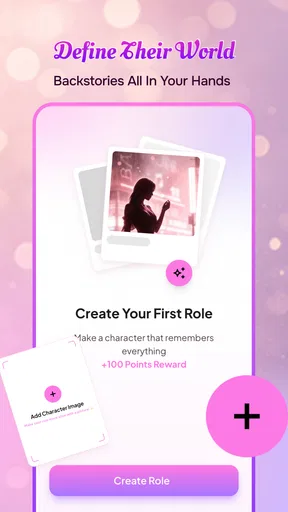
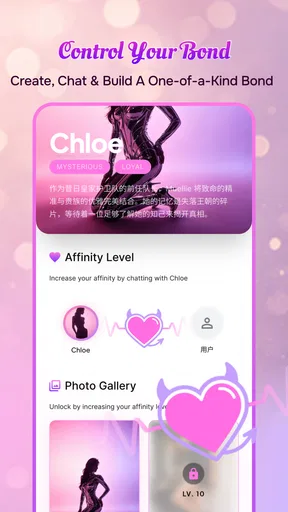
Compared with short-video feeds, Lumina AI offers more control. I choose the subject, tone, and direction instead of accepting an endless stream selected by an algorithm. That can be refreshing when I want something specific, such as brainstorming a travel itinerary concept, practicing a difficult conversation, or inventing a character for a personal writing project.
Compared with a standard search engine, it is better suited to back-and-forth exploration. I can ask for a simpler explanation or request another angle without rebuilding the entire search. The trade-off is trust. A search engine points me toward sources that I can inspect, while an AI companion may present an answer smoothly without making its reasoning or evidence clear. For current facts, health questions, legal issues, or financial choices, I would prefer a source-focused alternative and use this app only as a way to organize questions.
Compared with a traditional messaging app, the advantage is availability without asking a friend to stop what they are doing. That can make it useful for harmless practice conversations or creative play. The disadvantage is equally important: it cannot offer genuine human experience, shared history, or real-world action. Someone looking for community, friendship, or support from people should choose a social or messaging service instead.
Compared with a dedicated productivity assistant, Lumina AI appears better positioned for relaxed interaction than for dependable task management. I would not make it my main calendar, note system, research workspace, or professional writing checker. Its value is in flexible conversation and entertainment, especially when I want to explore possibilities without opening several specialized tools.
Who should try it, and who should skip it
I think Lumina AI is a reasonable choice for adults who enjoy experimenting with conversational technology and want a casual chat partner that can shift between light entertainment and creative assistance. It may suit someone who likes writing prompts, reflective questions, playful scenarios, or low-pressure practice before speaking to another person. The free starting point makes that trial relatively easy.
I would be more cautious recommending it to someone who wants guaranteed factual accuracy, professional advice, or a replacement for human connection. It is also not my first choice for a user who dislikes typing, expects a fully structured entertainment library, or wants a tool that completes practical tasks with minimal guidance. The app’s conversational nature is its main attraction and its main limitation.
A realistic evening use case would be this: after work, I might open the app and ask it to help me turn a vague idea into a short story premise. I would request three different moods, choose one, ask for a character conflict, and then have it challenge the weakest part of the plot. That workflow gives me several useful turns without expecting the app to write a finished piece that I can publish unchanged. It also shows why focused prompts and active editing matter.
For a more personal use, I might ask the companion to help me rehearse a conversation about setting a boundary. I would use the exchange to find clearer wording and imagine possible replies, but I would keep the final judgment mine. That distinction protects the value of the exercise: the app can help me prepare, while the real conversation still requires empathy and responsibility from people.
My performance verdict
After weighing speed expectations, extended use, reliability, and device constraints, I see Lumina AI as a lightweight entertainment companion whose success depends more on interaction quality than on technical spectacle. It should appeal to users who are comfortable guiding an AI and judging its answers. The experience is less convincing when I expect an effortless stream of brilliant conversation or treat a warm tone as proof of authority.
The developer, GP TECNOLOGIA DIGITAL, has positioned the app around a clear idea rather than a complicated collection of tools. That focus is useful, but it places pressure on the conversations themselves. I would keep prompts specific, avoid sensitive information, check important claims elsewhere, and watch optional purchases carefully. Those habits make the app more enjoyable and reduce the chance of confusing entertainment with dependable expertise.
My recommendation is therefore measured: try it if you want an adult-oriented AI chat experience for casual company, creative exploration, or conversation practice. Skip it if you need human community, source-backed research, or a professional productivity system. Lumina AI is most worthwhile when I use it as a guided creative companion, not as an authority or a substitute for people.
Pros
- Generates polished images and creative content quickly
- Simple interface suitable for beginners
- Offers multiple styles and customization options
- Useful for brainstorming visual concepts
- Regular updates can add new creative tools
Cons
- Some advanced features may require a paid subscription
- Results can vary depending on prompt clarity
- AI outputs may include occasional visual artifacts
- Processing times can increase during busy periods
- Generated content may need manual editing before publishing
FAQs for Lumina AI
What is Lumina AI, and what can I use it for?
Lumina AI is an artificial intelligence app designed to help users generate, improve, and organize content through natural-language prompts. Depending on the version and available tools, it may assist with writing, brainstorming, summarizing information, answering questions, creating ideas, or completing everyday productivity tasks. Its usefulness depends on the quality of your instructions and the features enabled on your device or account.
Is Lumina AI free to download and use?
Lumina AI may be available as a free download, but some advanced tools, higher usage limits, premium models, or additional features can require a subscription or in-app purchase. Before starting a trial or entering payment information, review the pricing page carefully, including renewal terms. Availability of free features and subscription plans may differ between Android, iOS, countries, and app versions.
Does Lumina AI require an internet connection?
In most cases, Lumina AI needs an active internet connection because requests are processed through online artificial intelligence services. Without Wi-Fi or mobile data, you may be unable to send prompts, generate results, or access your account. Some previously viewed content or basic interface functions might remain available offline, but users should not expect the main AI features to work reliably without connectivity.
How does Lumina AI handle my prompts and personal information?
Before using Lumina AI, read its privacy policy and the permissions requested during setup. Prompts may be transmitted to the company’s servers or third-party AI providers to generate responses, depending on the service architecture. Avoid entering passwords, financial details, confidential work documents, or sensitive personal information unless you understand how that data is stored, processed, retained, and potentially used for service improvement.
Are Lumina AI’s answers accurate and safe to rely on?
Lumina AI can produce helpful and convincing responses, but its results may occasionally be incomplete, outdated, biased, or factually incorrect. Treat generated information as assistance rather than verified professional advice. Check important claims against trusted sources, especially for medical, legal, financial, academic, or workplace decisions. Carefully review generated text before publishing it, sharing it, or using it to make consequential choices.


